A PDF is the right file for printing your artwork, but a die maker, a CAD program or a cutting table wants the lines: where to cut and where to crease, at actual size, and nothing else. That is what the SVG and DXF exports in 3D Box Studio are for.
What is in the files
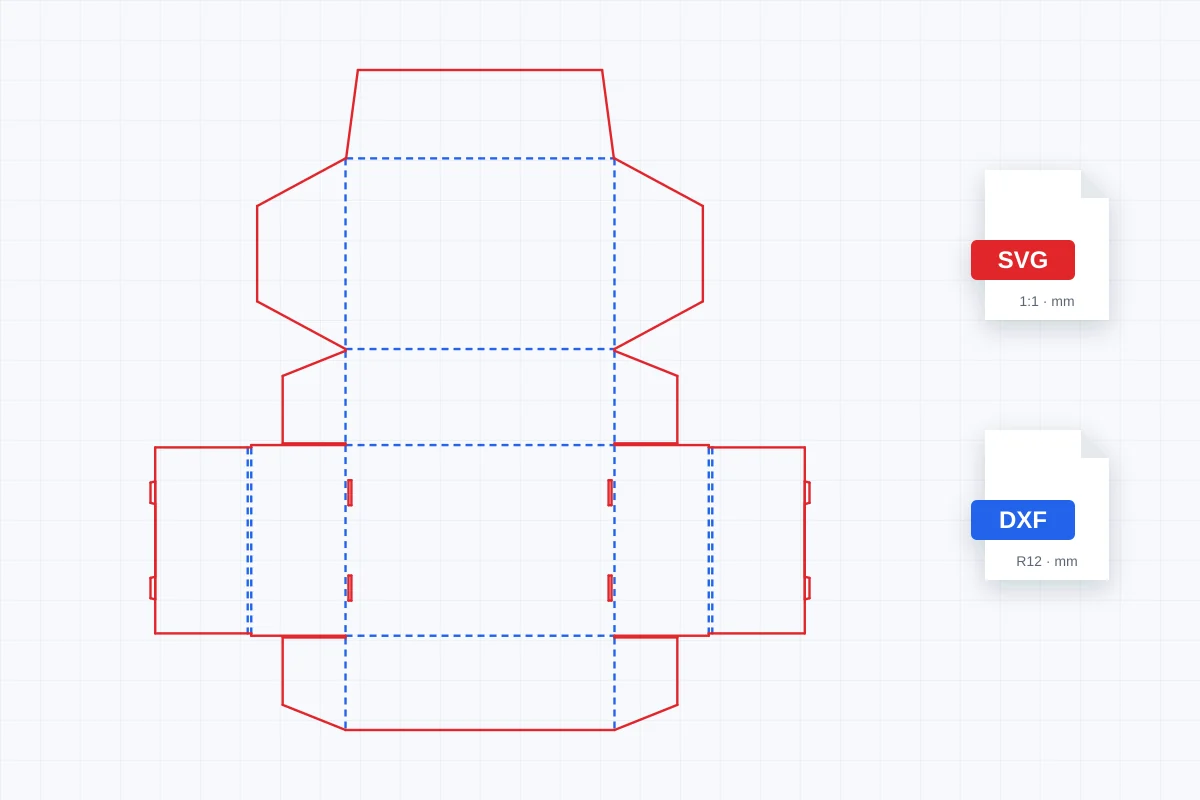
- The cutting template of your box at 1:1, in millimetres, for the size and board thickness you set.
- Cut lines: solid red, on a layer named CUT.
- Crease (fold) lines: dashed blue, on a layer named CREASE.
- In the SVG, panel names on a hidden LABELS layer you can switch on for reference.
- Any flap or panel sizes you changed in the Studio, such as a longer tuck or a deeper lid.
Red cut and blue dashed crease is the usual convention, so most die makers and printers can work with the file as it is. If your printer uses different colour or layer names, rename the layers; the lines are already separated.
SVG or DXF: which one to send
- SVG: open it in Adobe Illustrator, Inkscape or Affinity Designer. The page is sized in millimetres, and each layer appears as a named layer or group. Use it to finish the die in your design program or to lay out artwork around it.
- DXF: open it in a CAD program or send it to a die maker or cutting table. It is DXF R12 with millimetre units and one line per edge, the format almost every CAD and cutting system reads.
- PDF: when the printer needs your artwork as well, export the 1:1 PDF, which has the design, bleed and the cut and crease lines.
How to download a dieline as SVG or DXF
- Open a box template such as the mailer box or reverse tuck end box and enter your size.
- Open it in the Studio and adjust board thickness and flap sizes if you need to.
- Go to Preview & Download, choose Download and then the Dieline tab.
- Click Download SVG or Download DXF. The file is named after the template, for example 3d-box-studio-mailer-box-dieline.svg.
Opening the files
- Illustrator: File › Open the SVG. Check that the document is in millimetres and at 100%; the cut and crease groups appear in the Layers panel.
- Inkscape: the CUT, CREASE and LABELS layers show in the Layers panel. Turn LABELS on to see panel names.
- AutoCAD, LibreCAD or ArtiosCAD: open the DXF directly. Units are millimetres, and the sheet's lower left corner sits at the origin.
- Laser cutters and cutting plotters: import either file and assign cut and score settings by layer or colour. See box templates for Cricut and laser cutters.
Before production
The template is drawn from your size and board thickness, which is what you need for design, proofs, samples and quotes. Every factory has its own board, crease rules and tooling, so for a production run ask your printer or die maker to check the file and finalise the die.
Can I download a box dieline as SVG or DXF for free?
Yes. In 3D Box Studio, every box template can be downloaded as an SVG or a DXF from Preview & Download, at no cost. You need a free account to open the Studio.
What is the difference between the SVG and the DXF?
Both hold the same cutting template at 1:1 in millimetres. SVG is for design programs such as Illustrator, Inkscape and Affinity Designer. DXF is for CAD programs, die makers and cutting tables.
Are cut and crease lines separated?
Yes. Cut lines are solid red on a CUT layer and crease lines are dashed blue on a CREASE layer, in both files.
Does the SVG include my artwork?
No. The SVG and DXF are the cutting template only, which is what a die maker needs. To send artwork, export the 1:1 PDF, which has your design, bleed and the cut and crease lines.
Which DXF version is it?
DXF R12 (AC1009), in millimetres. It is the most widely supported version and opens in AutoCAD, LibreCAD, ArtiosCAD, Rhino, LightBurn and most cutting-table software.