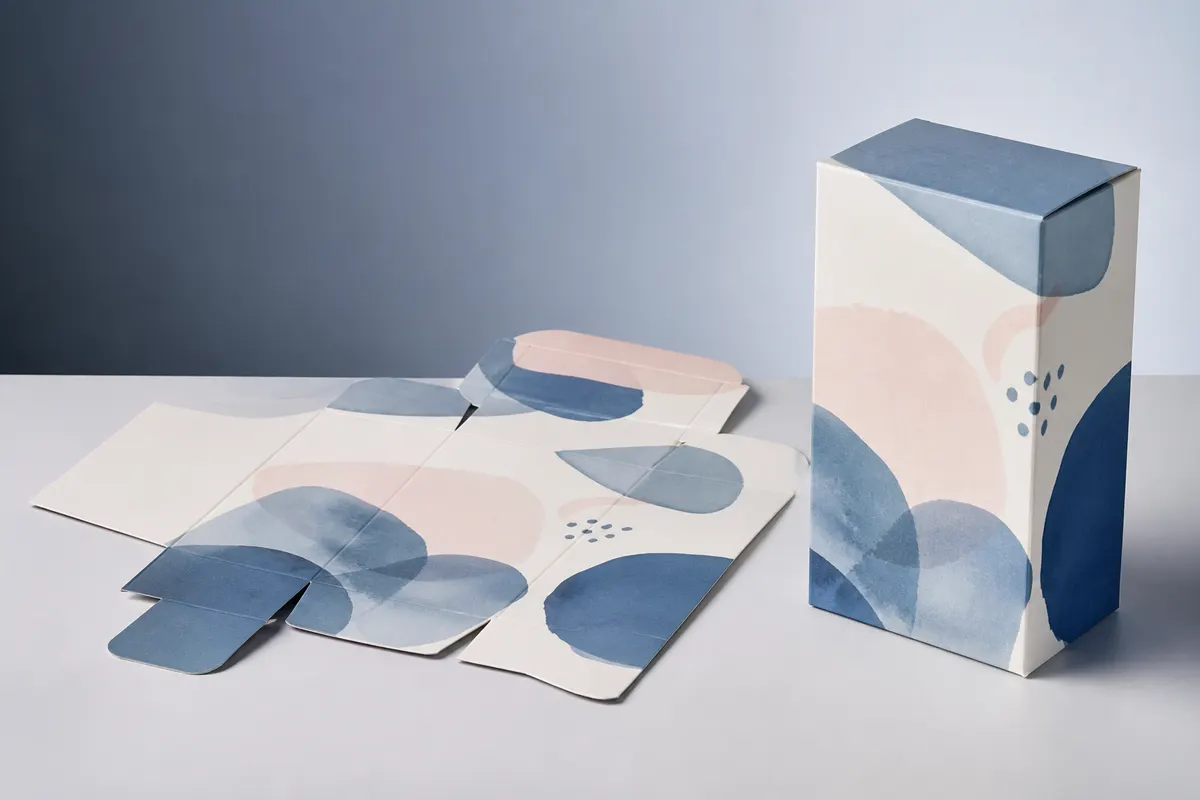
A dieline is the flat outline of a box: where it is cut and where it folds. You can draw one by hand in a vector editor, start from a printer's template, or generate one from your dimensions. Each route suits a different stage of a project.
Drawing a dieline in Illustrator
- Start from your inside dimensions and the box structure, for example a reverse tuck end carton.
- Draw the main panels as rectangles: front, side, back, side, plus a glue flap.
- Add the closure panels, tuck tongues and dust flaps at the top and bottom.
- Put cut lines and crease lines on separate layers, using the spot colour names your printer asks for.
- Add bleed around the outline and mark safe zones.
- Check every measurement and ask your printer to approve the file.
Drawing by hand gives full control, and it is how production dielines are usually finalised. It is also slow, easy to get subtly wrong, and has to be redone every time the size changes.
Generating a dieline online
A generator builds the dieline from the box style and your dimensions. In 3D Box Studio you pick a template such as the reverse tuck end box, enter width, height and depth, and the flat layout redraws instantly. You can then place artwork on it, fold it in 3D, and export a 1:1 vector PDF with cut and crease lines on separate layers and adjustable bleed.
Which should you use?
- Early design and client approval: generate online. Changing the size takes seconds and you can review it in 3D.
- Unusual structures, inserts or windows: draw in Illustrator or use your printer's structural team.
- Production: whichever you start with, your printer should finalise the die for their board, creasing rules and tooling.
Can I make a dieline in Illustrator?
Yes. Most production dielines are drawn or finalised in a vector editor such as Illustrator, with cut and crease lines on separate layers or spot colours.
Is an online dieline generator accurate?
It is accurate to the dimensions you enter, but it does not know your board thickness, crease allowances or printer's conventions. Use it for design and proofs, and let your printer finalise the die.
Can I edit a generated dieline in Illustrator?
Yes. 3D Box Studio exports a vector PDF that opens in Illustrator, with cut and crease lines on separate layers.