Boxshot alternative

A free, browser-based Boxshot alternative for boxes.

Boxshot is a capable desktop renderer for product shots. If you mainly need box mockups built from real dimensions, with a dieline you can hand to a printer, 3D Box Studio does that in the browser without an install or a licence.

3D Box Studio vs Boxshot

Feature3D Box StudioBoxshot
PriceFree (account required)Paid: subscription or one-time licence; demo adds watermarks
PlatformAny modern browserDesktop app for Windows and macOS
Box sizingExact width, height and depth in mm or inchesConfigurable shapes
DielineGenerated from your size, included freeBasic “Dieline Box” shape; full dielines are a separate paid product
Print output1:1 vector PDF dieline with cut, crease and bleedRendered images; dielines via the separate dieline maker
3D previewReal-time fold and open, orbit, PNG exportPhotoreal renders, animations and 3D HTML export
Product rangeBoxes and cartonsBoxes plus books, bottles, cans, displays and more
SharingView-only 3D link for clientsShare exported images, animations or 3D HTML files

Boxshot details from public sources as of October 2026; check boxshot.com for current pricing and features.

See the real product

Three steps from size to finished mockup.

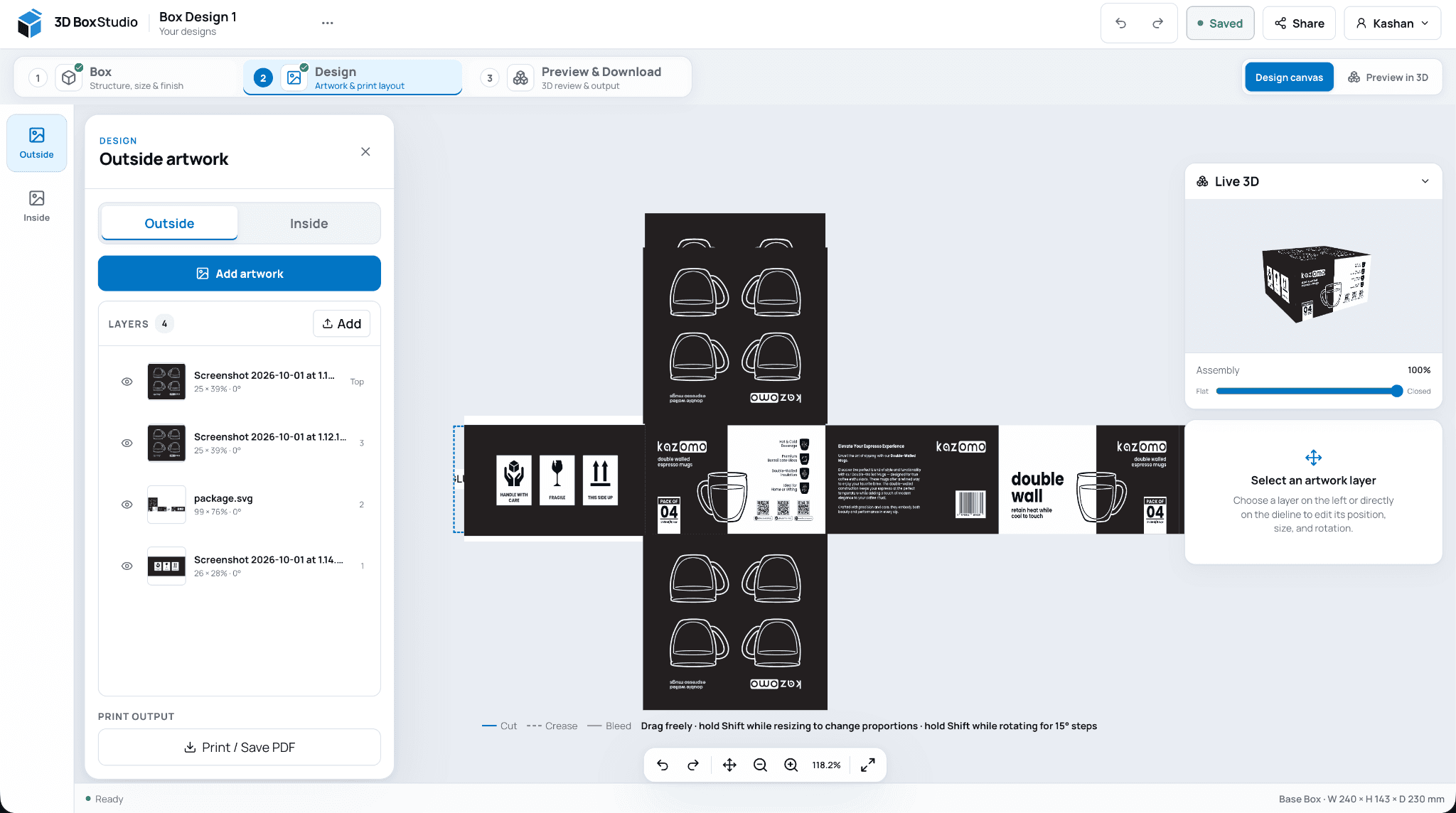
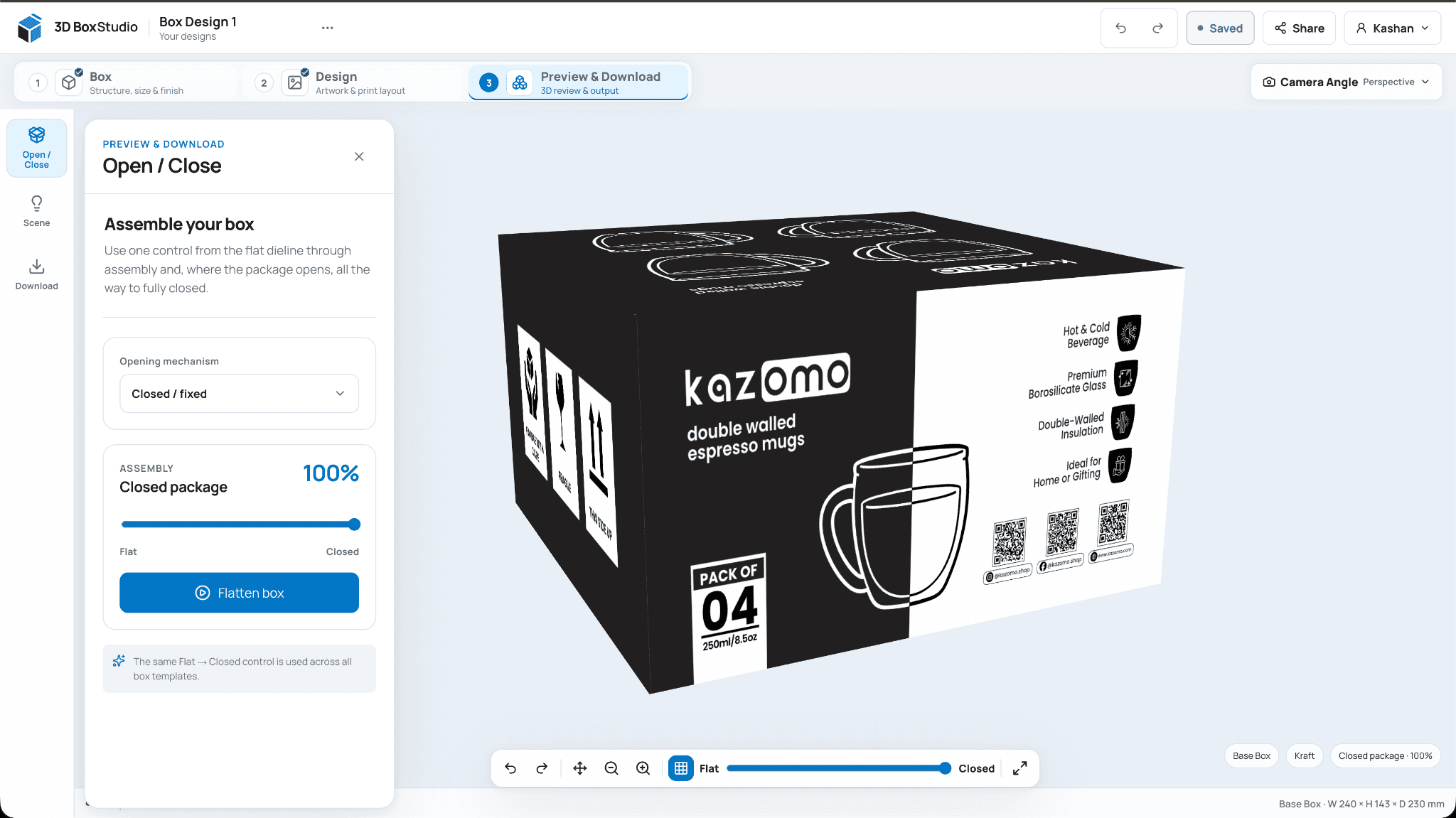
These are real screens from 3D Box Studio, not a concept dashboard. Set up the box, design on the dieline, then review it in 3D and export.

Start free Free account required. Sign up with Google or email.
3D Box StudioOpen Studio
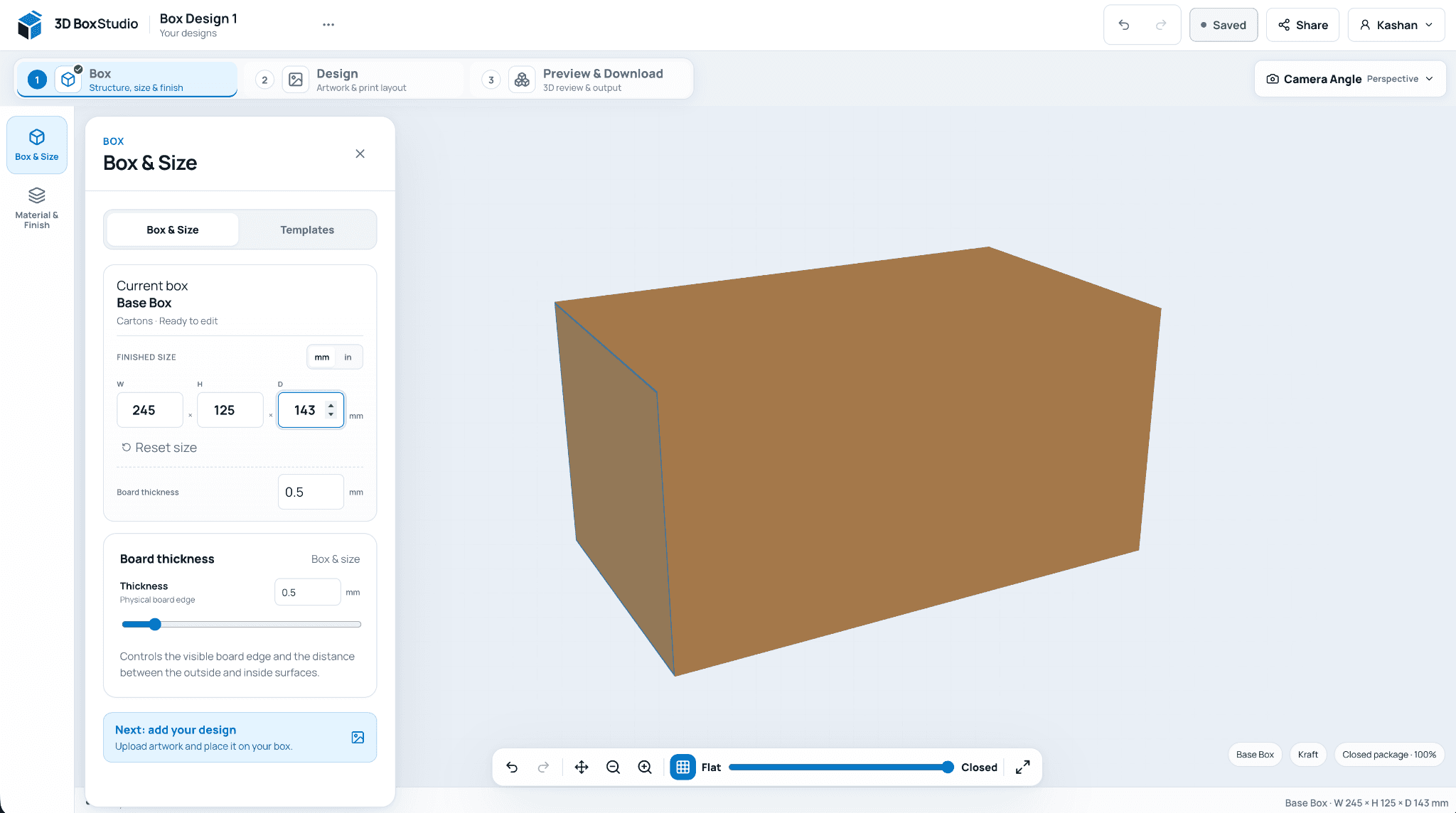
3D Box Studio Box & Size panel with width, height and depth inputs beside a kraft carton in 3D

Pick a template, enter finished dimensions in mm or inches, and choose the board material.

01

Why people look for a Boxshot alternative

Boxshot is aimed at studios that need high-end renders and animation, and it is priced and installed like professional desktop software. For a quick box mockup, a client approval or a print-ready dieline, that can be more tool than the job needs.

02

What 3D Box Studio does differently

The box and the dieline are the same thing. You enter the finished size, the Studio draws the dieline, your artwork goes on the flat layout, and the 3D model folds from that layout, so what you approve in 3D matches what you send to print.

03

When Boxshot is the better choice

Choose Boxshot for photoreal stills, turntable animations, non-box products such as bottles and books, or offline batch rendering.

04

Getting started

Pick a box template, enter your size, upload artwork and fold it in 3D. Saving, sharing and exporting are included with a free account.

Frequently asked questions

Direct answers before you start.

Useful details about this workflow, its current capabilities, and where production validation still matters.

Is 3D Box Studio really free?

Yes. It needs a free account; there is no paid tier for the current features.

Do I need to install anything?

No. It runs in a modern browser on Windows, macOS, Linux and ChromeOS.

Can 3D Box Studio export animations or video?

Not yet. It exports PNG images from the 3D view and a PDF dieline.

Can I use the dieline for printing?

It is a 1:1 design-ready dieline for proofs and approvals. Confirm board thickness and tolerances with your printer before production.

Ready to see your packaging in 3D?

Create a free account, choose a structure, set the size, add artwork, and review the result in your browser.

Open 3D Box Studio