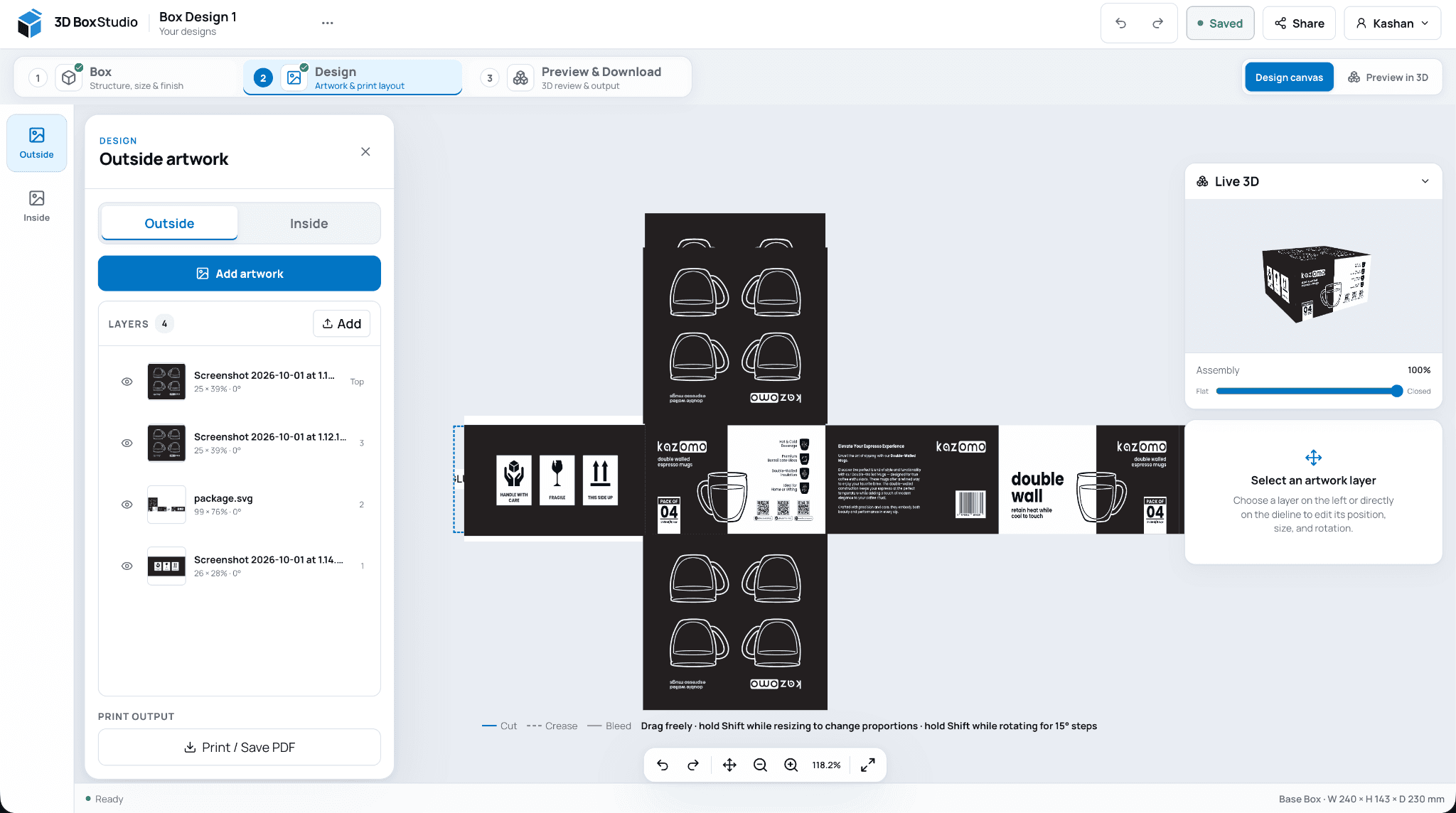
Draw a dieline in 15 box styles to your size and download it free as SVG, PDF, DXF, PNG or a Cricut file, with no account. Three new templates: a four-corner tray, a telescope box with a lift-off lid, and a cake box with an optional window.
Sizes in millimetres or inches, as the inside, the outside or crease to crease, with board thickness worked in; pick a board or type its caliper.
Downloads need no account and carry no watermark: layered SVG, PDF at 100% or tiled on A4 or Letter, DXF, PNG and a Cricut or Silhouette cut-and-score file.
A link reopens the same box, and Open in 3D Box Studio carries the size, board and flap sizes into the Studio.
New templates: the four-corner tray, the telescope box (a tray with a lift-off lid) and the cake box, whose lid window shows in 3D. Each has its own page under Box templates.
A gable box with a pitched roof, a carry handle and an auto-lock bottom, for bakery, takeaway, favours and gifts.
The dieline has four walls, a roof panel and a handle with a finger hole over the front and back, a gable end with two gussets over each side, and an auto-lock bottom, all drawn from your inside size.
Set the roof height and the handle height in the Studio, and the dieline and 3D box follow.
In 3D the bottom locks, the gussets fold in and the roof closes until the handles meet back to back, with the finger holes cut through.
A curved pillow box that closes by pushing in its ends, for jewellery, gift cards, favours and small accessories.
The dieline has two faces with curved creases at both ends, a curved end flap beyond each crease and a glue flap, all drawn from the size of the closed pillow.
In 3D the faces bow out into the pillow shape and the ends close to a straight pinch, with your artwork wrapping smoothly round the curve.
Export the cutting template as a 1:1 PDF, SVG or DXF, with the curved creases on their own layer.
A tuck top carton with a 1-2-3 snap-lock bottom that closes by hand with no glue: stronger than a tuck end, cheaper than a crash lock.
The bottom closes in three moves: fold in the side flaps, fold the back flap over them, then fold the front flap and push its tongue in under the back flap until it snaps.
The dieline has tapered side flaps, a back flap with a half-moon notch and a front flap with a lock tongue, plus a tuck top with dust flaps and a thumb notch, all drawn from your inside size and board thickness.
Watch the bottom close 1-2-3 in 3D, adjust the side flaps and lock tongue, and export the cutting template as a 1:1 PDF, SVG or DXF.
A tuck top carton with a crash-lock bottom that locks itself when the carton is opened: the usual choice for bottles, jars and heavier products.
The bottom is folded and glued at the factory. Open the flat carton and the four bottom flaps swing down together and lock, with no tucking by hand.
The dieline has interlocking front and back flaps, side flaps with 45° glue tabs, and a tuck top with dust flaps and a thumb notch, all drawn from your inside size and board thickness.
Watch the bottom fold in 3D, adjust the glue flap, tuck and bottom flap sizes, and export the cutting template as a 1:1 PDF, SVG or DXF.
Choose how your MP4 moves, how long it runs and what sits behind the box.
Three motions: fold and turn (flat to closed, then one turn), turntable (the closed box turns once) and open and close (the lid opens while the box turns).
Turntable and open and close end exactly where they start, so they loop seamlessly on social posts and product pages.
Pick 6, 10 or 15 seconds, and a studio, white or any colour background.
New to the Studio? A one-minute tour shows you around, and every keyboard shortcut is one key away.
The first time you open the Studio, a six-step tour points out the three steps, the size and flap controls, the 3D view, the design tools and the downloads. Skip it any time, or take it again from the file menu.
Press ? for the keyboard shortcuts: save, undo and redo, moving the view, nudging artwork by 1 or 10 mm, and the keys that change how dragging, resizing and rotating behave.
The Studio uses a smaller, consistent set of text sizes, so the box gets more of the screen and panels show more at once.
Add shapes, a QR code or a retail barcode to any box from the Design panel, with no other tool needed.
Seven shapes: rectangle, rounded rectangle, ellipse, triangle, star, line and arrow, with a fill colour, an outline or both. Side handles stretch a shape and its outline keeps its thickness.
QR codes for a link or any text, in your colour, on a light background or a transparent one.
EAN-13, UPC-A and Code 128 barcodes. The check digit is added for you and checked if you type it, and barcodes are placed at 100% size.
Like text, they stay editable after saving and print in the 3D view, the PNG and MP4 downloads and the 1:1 PDF.
Design a two-piece rigid gift box, download any dieline as SVG or DXF for your box maker, and change the size of each flap and panel on the box itself.
New rigid lid and base box template: both wraps drawn from the inside size of the base, with corner ears, turn-ins and an adjustable lid height, and the lid lifting off in 3D.
New mailer box template (FEFCO 0427 roll end tuck top) with a self-locking base and hinged lid.
Download the cutting template of any box as SVG or DXF at 1:1 in millimetres, with cut and crease lines on separate layers.
Change the size of each flap and panel, from the Sizes panel, by typing on the 3D box or the flat dieline, or by dragging handles on the dieline.
Show sizes is on by default and labels the box and flap sizes in 3D, including with the lid open.
Fold and flatten animations now run smoothly from 0 to 100%.